Mensen zijn dol op PosterMyWall
Nieuwste · 2025–2026
Design, schedule, and track every Facebook post from one place. Our templates, AI tools, Content Planner, and analytics make showing up for your community simple.
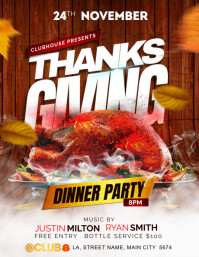
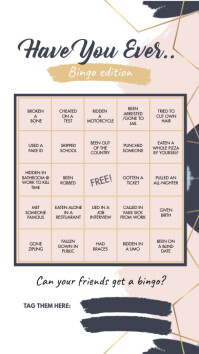
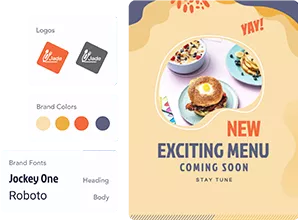
Great posts start with great design, and you don't need a blank canvas to get there. Pick from our Facebook post templates or describe your idea to Create with AI. Need a visual? AI Images creates one from a prompt, and AI Background Remover puts your product front and center. Save your logo, colors, and fonts in Brand Kits, and every post stays on-brand.
Video gets the scroll to stop. Our AI tools get the video done. Start from our video templates, add a voiceover with AI Voice, and drop in on-screen text with AI Subtitles so viewers on mute still get the message. Spin the same promo into Facebook Story templates for your daily specials. Stuck on what to say? AI Writer drafts the caption in your tone, and your Reel is ready to schedule.
Scheduling is the quick part. Open the post composer in our Facebook post scheduler, select your Facebook Page, and add your Instagram account, Threads, TikTok, LinkedIn, Pinterest, or Google Business Profile. Click Schedule, pick a date and time, and you're done. PosterMyWall publishes automatically, so you can delay a post on Facebook until your fans are online, even when you're not. Scheduling comes with Premium plans.
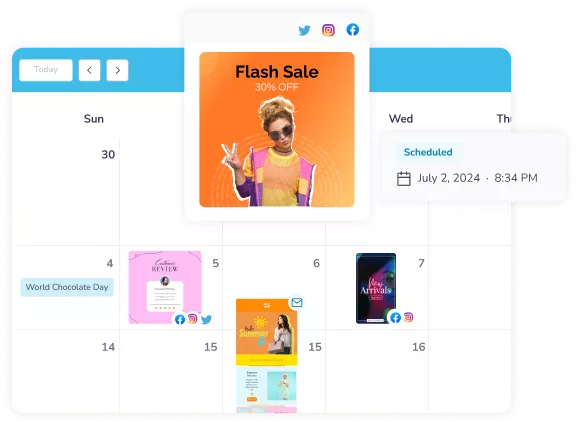
Wondering what's going out this week? The Content Planner shows every scheduled Facebook post, Reel, and Story on one calendar. Spot gaps before they turn into quiet weeks, move a post when plans change, or add a new one right from the calendar. Holidays and special events come pre-marked, so Black Friday and Mother's Day never catch you off guard. Your whole Facebook posting plan lives in one view.
Posting is half the job. Knowing what worked is the other half. Once your posts go live, PosterMyWall's analytics shows reach, likes, views, comments, and shares for each post and across all of them. Spot which designs and posting times win, then plan next week around them. Design, schedule, and track every Facebook post without ever leaving PosterMyWall.
Nieuwste · 2025–2026






Scholaskoteani Billups and her husband Bayrone started Soul’d Food in 2018, a mobile catering company in Columbia built on the Northeast and Southeast cooking they both grew up with. Plenty of caterers spread themselves across every platform at once. Scholaskoteani picked one and worked it properly. Facebook is where her customers already are, whether they log in daily or twice a month, and she posts three times a week, no more, because past that she would be spamming the people she spent years earning.
What she posts is not a menu on repeat. One February she ran a recipe a day for Black History Month, and the comments filled up with people remembering the dish from childhood and posting photos of their own attempts. She celebrates employee birthdays so customers know who cooks their food. She builds offers around whatever everyone is already talking about, which is how National Soup Month turned into a winter soup her vegan regulars kept ordering. Every offer goes on a content calendar, gets a graphic made in PosterMyWall, and goes out on schedule.
You can work the same way. Build a month of posts from Facebook post templates, lay them out in the Content Planner so three a week takes one sitting, and let the Facebook scheduler publish them while you are out on a job. When a post deserves a run on Instagram or X too, resize the same design instead of building it twice.
Read further: 8 tips for promoting your business and building engagement on Facebook
Wij vinden dat ontwerp- en marketingkosten u niet de kop mogen kosten. Daarom bieden we een allesomvattende betaalbare oplossing. 💪
Op meerdere apps


U bespaart $119 met één abonnement
Choose from thousands of professionally designed templates for any business, event, or occasion.
Add your logo, images, videos, fonts, stickers, audio clips, and more. Use Brand Kits for consistent, on-brand designs.
Download for free or get high-res files. Upgrade to PosterMyWall Premium plans for unlimited image and video downloads.
Publish to Facebook, X (Twitter), Instagram, or send via email campaigns, embed on websites, or display on digital screens.
Open the post composer, select your connected Facebook Page, and click Schedule to pick a date and time. PosterMyWall publishes the post to your Page automatically. Scheduling is part of the Premium plans and works for standard posts, videos, Reels, and Stories.
Yes, you can schedule posts on a Facebook Page in Meta Business Suite or with a Facebook post scheduler like PosterMyWall. With PosterMyWall, you design the post, write the caption, and schedule it in one place, and it publishes automatically. Scheduling comes with the Premium plans.
Posts you schedule with PosterMyWall appear in the Content Planner, a calendar that shows every scheduled post, Reel, and Story. You can move a post to a new date right from the calendar. Posts scheduled directly in Facebook appear in Meta Business Suite under your Page's planned content.
Yes, you can delay a post on Facebook by scheduling it for a later date and time. In PosterMyWall, click Schedule and pick when it should go live. PosterMyWall holds the post and publishes it to your Page automatically, so you don't need to be online.
Yes, PosterMyWall lets you schedule Facebook Reels and Stories, plus standard posts and videos. Design from a template or with AI, choose a date and time, and PosterMyWall publishes it to your Page automatically. You can also schedule several posts at once in bulk.
PosterMyWall schedules and publishes posts to Facebook Pages, not personal profiles, because Facebook limits third-party apps from posting to personal profiles. If you promote a business, event, or cause, create a free Facebook Page, connect it to PosterMyWall, and schedule your posts there.
Yes, PosterMyWall publishes your scheduled Facebook posts automatically at the date and time you choose. Your post, Reel, or Story goes live on its own, so you don't need to be online. Plan a full week of content in one sitting and let PosterMyWall handle the rest.
Yes, PosterMyWall lets you publish one design to Facebook and Instagram at the same time, along with Threads, TikTok, X, LinkedIn, Pinterest, YouTube, and Google Business Profile. Select each connected account in the post composer, then publish or schedule once. Connecting more than one account requires a Premium plan.
Yes, AI Writer in PosterMyWall drafts Facebook captions tailored to each post. Pick a tone and length, then edit the caption to sound like you. AI Writer uses AI credits, which come with Premium (100 a month) and Premium Plus (250 a month). Schedule the caption with your post so both go live together.
Yes, PosterMyWall's analytics shows reach, likes, views, comments, and shares for your published Facebook posts, one post at a time or across all posts. Use the numbers to see which designs and posting times work best. Paid promotions aren't managed in PosterMyWall, but your published posts are tracked.

Gradient van PosterMyWall



© 2010-2026 250 Mils LLC. Alle rechten voorbehouden.