Mensen zijn dol op PosterMyWall






0+ high converting pamphlets designed for every need


Katrina Conrad runs Conrad Builds, a diversity-compliant consulting firm in Boston working mostly in construction and the building trades. Her team of five connects contractors with work-ready people and has assisted over 200 companies. A good deal of her marketing happens offline, by choice, because the people she most wants to reach are not necessarily going to find her through a search.
So she targets footfall. Her team hands out printed material in pedestrian areas and, deliberately, at the local bus and train depots. The thinking behind it is worth borrowing: what you hand someone is only enough to introduce you, but the commute that follows is twenty minutes of nothing to do. A QR code on the page takes them from that introduction to the full picture of her services, events, and training while they are sitting on the bus. By the time they get off, she is not a stranger. She pairs it with email newsletters built from the same designs, sent around 30 days ahead so her events are well attended.
You can build the same two-stage piece. Lay it out with brochure and pamphlet templates, which give you the panels to introduce yourself on the outside and explain properly on the inside. Add a QR code so the reader can go deeper the moment they are interested, and send the same artwork to your list as an email campaign.
We believe design and marketing costs shouldn't break the bank. That's why we pack a punch in one affordable solution. 💪
On multiple apps


You save $119 with one subscription
Beheer uw marketing vanuit één intuïtief, AI-gestuurd platform. Ontwerp met miljoenen gratis sjablonen, verkoop tickets voor uw evenementen en publiceer via social media, e-mail, web en meer.
Ontdek wat uw publiek geweldig vindt met engagementinzichten over uw social media-berichten en e-mailcampagnes. Gebruik deze inzichten om uw marketingstrategie te verfijnen en content te maken die resultaten oplevert.
Laat AI het zware werk doen: genereer ontwerpen, afbeeldingen en video's in enkele seconden, pas de afmetingen aan voor elk kanaal en plan content vooraf in. Met betaalbare abonnementen en flinke teamkortingen is marketingmagie maken met uw team nog nooit zo eenvoudig geweest.
Choose from thousands of professionally designed templates for any business, event, or occasion.
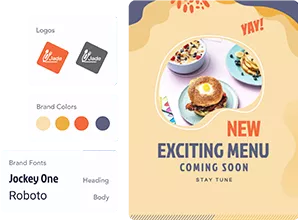
Add your logo, images, videos, fonts, stickers, audio clips, and more. Use Brand Kits for consistent, on-brand designs.
Download for free or purchase high-res files. Upgrade to PosterMyWall Premium plans for unlimited high quality image and video downloads, plus the full AI suite.
Publish to Facebook, X (Twitter), Instagram, or send via email campaigns, embed on websites, or display on digital screens.

Create and edit with AI prompts

Unlimited hi-res on-brand downloads.

Post, caption, and schedule in one go.

Event pages, ticketing and promotions

Meer dan 5,220 sjablonen. 10.000 e-mails per maand.

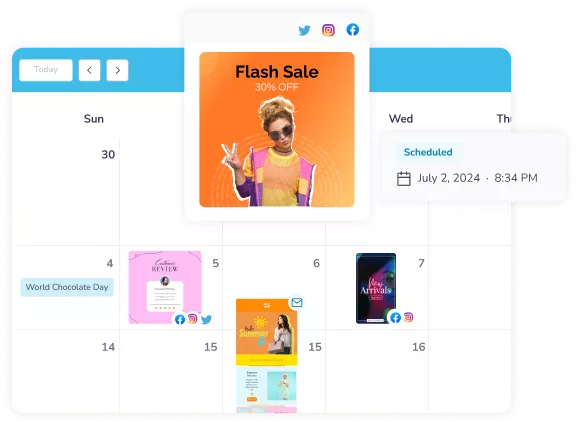
Plan every post and email in one calendar.









 Canva versus PosterMyWall
 VistaCreate versus PosterMyWall
 Adobe Express versus PosterMyWall
 Piktochart versus PosterMyWall
 Snappa versus PosterMyWall
 Fotor versus PosterMyWall
 Placeit versus PosterMyWall
 Visme versus PosterMyWall
 Venngage versus PosterMyWall
 Buffer versus PosterMyWall
 Hootsuite versus PosterMyWall
 Sprout Social versus PosterMyWall
 Later versus PosterMyWall
 Agorapulse versus PosterMyWall
 Zoho Social versus PosterMyWall
 Coschedule versus PosterMyWall
 Sendible versus PosterMyWall
 Loomly versus PosterMyWall
 Stripo versus PosterMyWall
 Mailchimp versus PosterMyWall
 Constant Contact versus PosterMyWall
 Brevo versus PosterMyWall
 GetResponse versus PosterMyWall
 Kit versus PosterMyWall
 Moosend versus PosterMyWall
 Omnisend versus PosterMyWall
GetResponse versus PosterMyWall
Omnisend versus PosterMyWall
GetResponse versus PosterMyWall
 Eventbrite versus PosterMyWall
 Evently versus PosterMyWall
 Facebook Events versus PosterMyWall

Gradient van PosterMyWall



© 2010-2026 250 Mils LLC. Alle rechten voorbehouden.